
Run the whole hospital on one patient record.
Front desk, triage, clinicians, lab, radiology, pharmacy, wards and the cashier on one system. Register a patient once; every order, result, dose and shilling follows them.


- ODPC registered
- Penetration-testedBy an independent firm, 2026
- Web, Android and iOSOne account on every device
- Built in NairobiLocal training and support
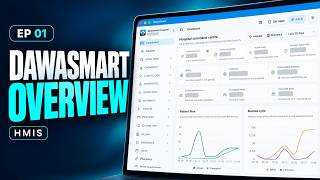 Product tour · 3 minSee DawaSmart HMIS in 3 minutesFrom patient check-in to SHA claims and billing
Who it is for
Built for every kind of hospital.
Switch on the departments and sites you run. Looking for a clinic or pharmacy system? Explore DawaSmart for clinics and pharmacies.
- 01
Private hospitals
Every service billed, M-Pesa reconciled, the day on the owner's phone.
- 02
Faith-based and mission
Reliable records with payer and waiver controls.
- 03
County and public
Live queues, worklists and a management dashboard.
- 04
Hospital groups
Many sites, one account, group-wide reports.
One record
From registration to discharge, nothing is re-typed.
Each hand-off moves the patient to the next queue and carries the record with them. Billing is built as care happens, not reconstructed at the exit.
- Step 1
Registration
One MRN for life
- Step 2
Triage
Vitals and priority
- Step 3
Consultation
Notes, orders, prescriptions
- Step 4
Diagnostics
Lab and imaging results
- Step 5
Billing
Built as care happens
- Step 6
Pharmacy
Dispensed by batch
- Step 7
Admission
Bed board and MAR
- Step 8
Discharge
Summary and follow-up

Care timeline · demonstration data
What a connected record changes on the floor
- The clinician sees results as they are entered: no runner, no printout, no phone call to the lab.
- The cashier sees every item: orders and dispensing create bill items; the exit bill is already complete.
- The pharmacy knows what was prescribed: and the ward knows what was dispensed and administered.
- Management sees the day as it happens: arrivals, waits, beds, billed and collected, by department.
In the product
See the screens your staff will use.
Real screens from a demonstration hospital. Names and figures are fictitious.
A live bed board, nursing records on the admission, and a bill that posts itself.
- Wards and beds with status: available, occupied, reserved, in maintenance
- Observations, progress notes and a medication administration record signed at the bedside
- Daily bed charges posted each night; deposits and interim payments tracked
- Guided discharge with a printed summary
Swipe the screen to see more

Orders reach the lab as they are placed. Results reach the clinician as they are entered.
- Test and imaging catalogues with prices per branch; billing created with the order
- Worklists by status: ordered, collected, in progress, resulted
- Attachments and analyser printouts, including photos from a phone via a secure upload link
- Branded report PDFs, sent to patients by SMS or WhatsApp where enabled
Swipe the screen to see more

Stock that reconciles and a cashier who collects what was done.
- Dispensing deducts stock by batch; expiry alerts, purchase orders, transfers and stock counts
- Cash, M-Pesa STK Push, Paybill or Till, card and bank, matched to the invoice
- Discounts and waivers requested on the invoice and approved by a manager
- Payers, pre-authorisations and claims recorded per visit
Swipe the screen to see more

Modules
Fifteen modules. Switch on what you run.
Every module is in the product today. Open one to see exactly what it does and who uses it.
- OutpatientFront desk to consultation
- Inpatient and bed managementAdmissions, wards, beds, discharge
- EmergencyEmergency board and register
- ICU and HDUCritical care board and register
- LaboratoryOrders, samples, results
- Radiology and imagingImaging orders and reports
- Blood bankBlood stock and transfusions
- Pharmacy and storesDispensing, stock, procurement
- Prescribing and medication safetyPrescriptions with safety checks
- Maternal and child healthAntenatal, immunisation, growth
- MaternityLabour ward and maternity register
- TheatreTheatre list, surgery register, operating theatres
- Billing, payers and insuranceInvoices, cashier, payers, claims
- Procedures, referrals and schedulingProcedures, referrals, rooms and equipment
- Reports, dashboards and administrationCommand centre, staff, permissions, audit
Video guide
SHA claims, from check‑in to submission.
A short walkthrough of a patient going from the front desk to a submitted SHA claim, on the real DawaSmart screens.
- 1Check cover
- 2Patient consent
- 3Submit claim
Platform
Web at the desk. Mobile on the ward round.
One account and one patient record on every device, with AI and M-Pesa built in.
Web workspace
Reception, consultation, lab, pharmacy and finance in the browser.
Android and iOS app
Queues, triage, dispensing and the bed board, with biometric unlock.
Ask AI
Answers from your own records, within each user's permissions.
M-Pesa and messaging
STK Push, Paybill and Till, plus SMS, WhatsApp and email.
Security and compliance
Procurement will ask. Here are the answers, including the ones still in progress.
Safravo Ltd is a registered Data Processor with the Office of the Data Protection Commissioner. The platform was penetration-tested by an independent firm in 2026. We publish what is in place, what is in progress and what is on the roadmap, and we do not claim certification we do not yet hold.

- In place
Registered Data Processor
- In place
Independent penetration test
Tested by ISP Kenya, 2026
- In place
Encrypted in transit
TLS 1.2 and 1.3 only
- In place
Role and permission based access
Facility, branch and department scoped
- In place
Audit trail
Who did what, when
- In place
Hosting and data location
DigitalOcean, United States
- In progress
Digital Health Agency certification
Application submitted
- Roadmap
SHA electronic claims
Roadmap
Implementation
Live in phases, with training on site and support after launch.
- 1
Discovery
We map your departments and agree a dated, phased plan.
- 2
Set-up and migration
Catalogues, wards, stock and patients imported.
- 3
Training
Role-based sessions on site for every department.
- 4
Go-live
Our team is on the floor for the first days.
- 5
Support
Critical issues answered within one hour, 24/7.

Questions
The questions hospital boards ask first.
More on the FAQ page, including data ownership, exit, offline use and SHA.
How is DawaSmart HMIS priced for a hospital?
Where is the data hosted?
How long does implementation take?
Next step
See DawaSmart HMIS running on your hospital's workflows.
A demo takes about 45 minutes. We walk through the departments you run, on real screens, and leave you with a written scope and quote.
Or call +254 746 289 413 · Monday to Saturday, 8:00 to 18:00 EAT